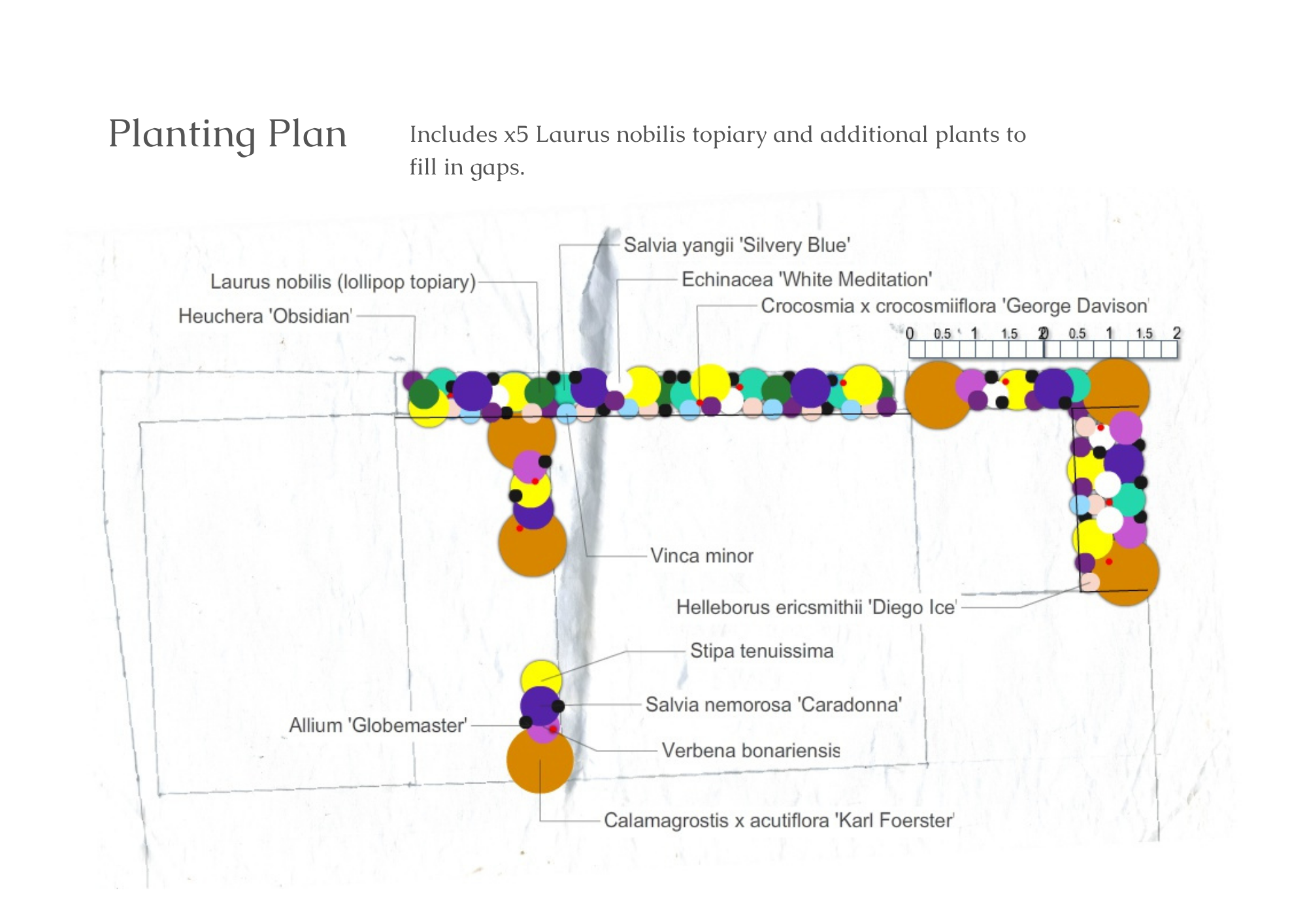
 EXAMPLE PLAN
01 / THE DESIGN
See the planting plan
A visual example of how a planting scheme can be laid out for your customer and the team carrying out the work.
Open full-size planMADE FOR LANDSCAPING BUSINESSES
Price the job. Track the costs.
Know what’s still owed.
From the first estimate to agreed extras and the final balance, with practical support from someone who’s run a landscaping business.
Free interactive demo. No account needed.
Need planting design under your own logo?40 m² paving · Fictional example
Change the margin. See what it does to your price.
Quotes on the laptop. Enquiries on your phone. Follow-ups in your head. Command Centre is being developed to bring the work together, so you can see what needs doing next.
AFTER THE QUOTE IS ACCEPTED
A quote is only the start. Try adding a cost, approving an extra and recording a part-payment. Watch the job totals update together.
Try the job trackerFictional job. Changes reset on refresh. Payments are recorded, not collected.
Materials, labour, hire and subcontractors. See what you’ve spent and what remains in the agreed cost budget.
Keep proposed work separate. Record who agreed it, when and where the agreement is held.
Track due dates, partial payments and the remaining balance. Print a clear customer statement.
A PREVIEW OF WHAT’S NEXT
Quotes to chase. Enquiries to answer. The week ahead. Explore a briefing built from a fictional business, then see what happens when a customer replies.
Try the briefing & follow-up previewInteractive example. Messaging connections are not live.
Won work is booked value, not money received.
TAKE A LOOK INSIDE
Explore a fictional landscaping business.
Try the buttons and see how the workflow feels.
Future workflow example with fictional records. Changes last only while this page is open. No messages are sent.
EXAMPLE WORKING DAY
Willow House · Full garden
Allow 45 minutesCedar Close · Paving
Check materials for tomorrowExample diary concept. Calendar booking is outside the first pilot.
ENQUIRIES & QUOTES
Mark the patio quote as won to see the board and Today figures update.
Accepted work is recorded as won. It is not a payment received.
PREPARED AI EXAMPLES
These are written examples of the guidance we want to offer. This demo does not run a live AI assistant.
Live AI is outside the first pilot. These prepared examples show a possible future addition.
START WITH THE NUMBERS
Build up materials, labour, hire and overheads. Set the margin you’re aiming for. Then see how a discount changes what’s left.
Build a sample estimateQuantities, rates and material waste—with a clear cost breakdown.
Know the share of your selling price left after the costs you’ve included.
Confirm VAT treatment, then preview or print a sample without your internal costs.
OPTIONAL DESIGN SUPPORT
Keep the customer relationship. Bring in planting expertise when a project needs it.
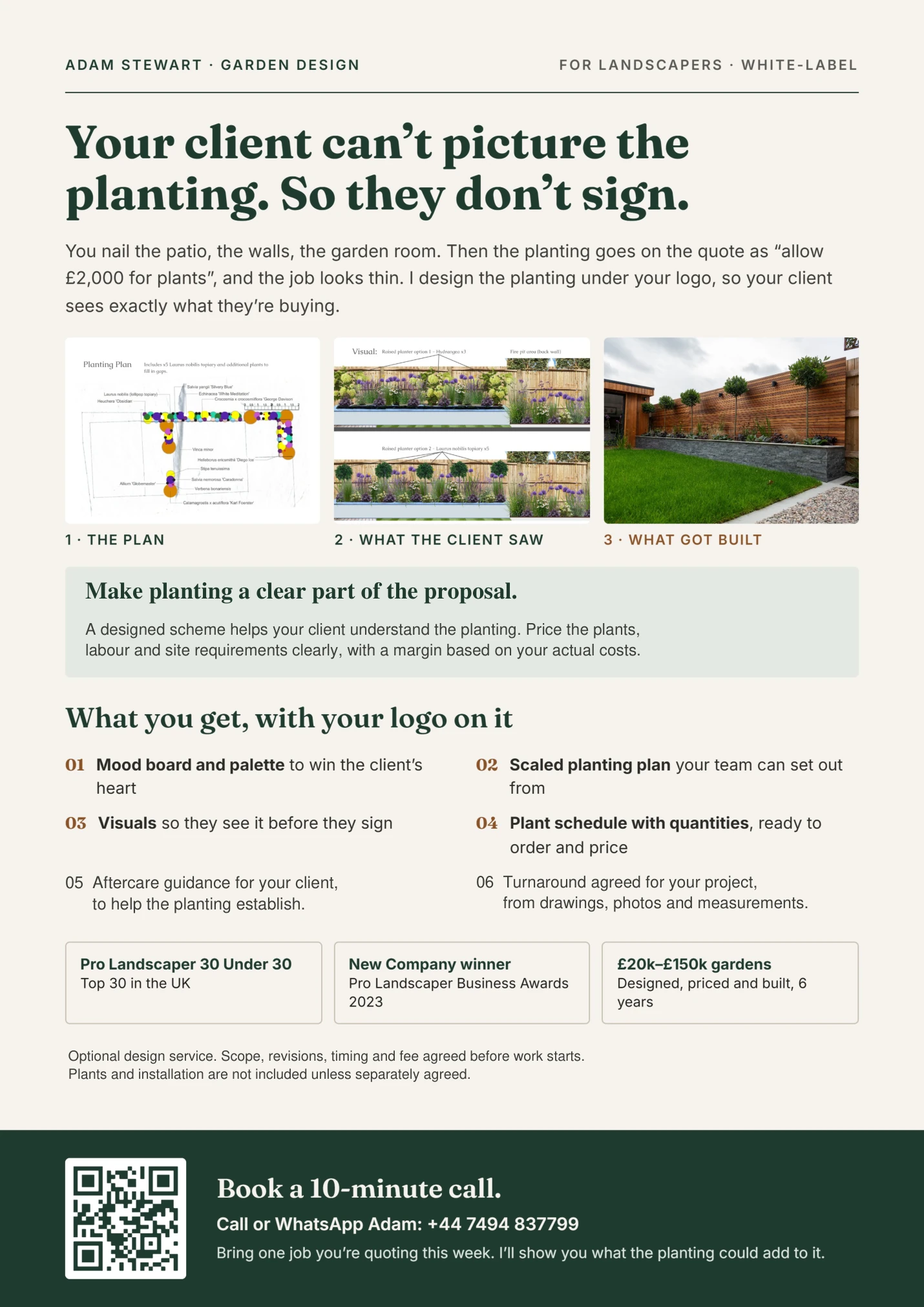
Planting plans, plant schedules, visuals and aftercare advice, prepared to the scope we agree and presented under your company logo.
EXAMPLE PLAN
A visual example of how a planting scheme can be laid out for your customer and the team carrying out the work.
Open full-size plan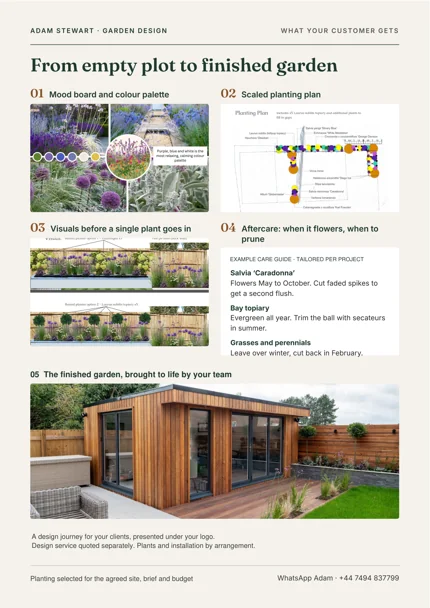 CUSTOMER JOURNEY
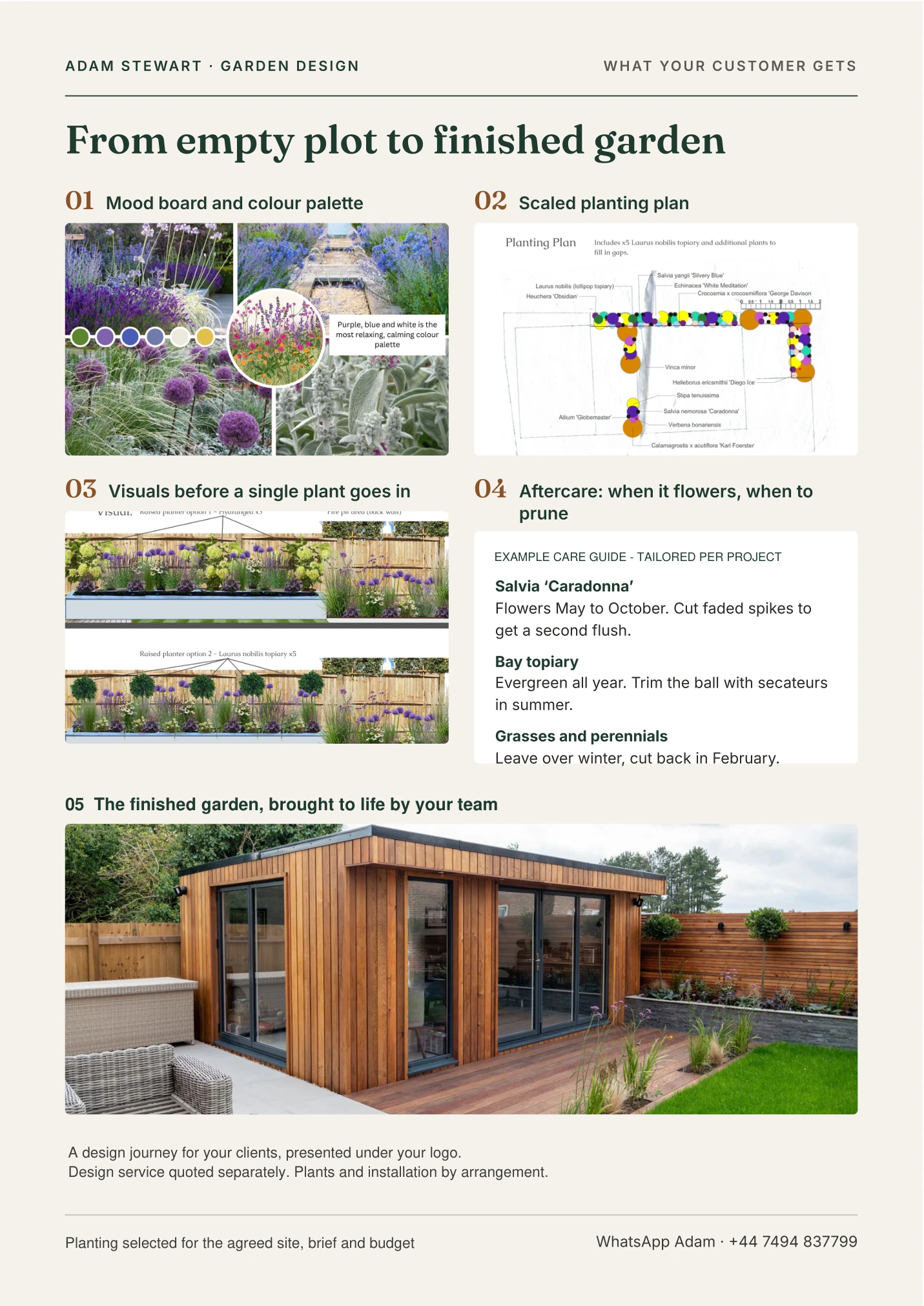
A clear introduction to the process, so your customer can understand the next step and what the design service involves.
On a small screen, swipe across the page to read it, or open the PDF to zoom.
 FOR LANDSCAPERS
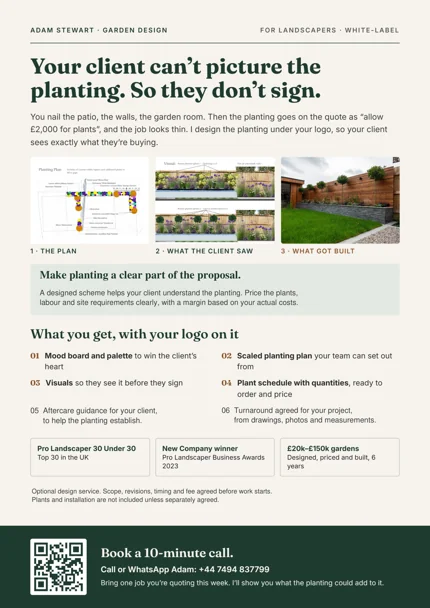
A short guide to bringing planting design into your projects, with your branding and the scope agreed before work starts.
On a small screen, swipe across the page to read it, or open the PDF to zoom.
HELP SHAPE THE FIRST VERSION
I’m Adam. I ran a landscaping business for six years, selling projects from £20,000 to £150,000. I know how much work sits behind the work on site.
I’m developing Command Centre with a first pilot of five businesses: saved estimates, clear quotes, job costs, agreed extras and payment records—with personal help getting started.
Add specialist design support when a project needs it. Planting plans, plant schedules, visuals and aftercare are separately quoted to the agreed scope.
See the planting design examplesStandard setup included
Planned monthly pilot with standard setup included. We’ll agree the features and support before you join. Email and WhatsApp connections, live AI and automated reminders are outside this first version.
Talk to Adam on WhatsAppTry the estimator and job tracker now. Private accounts are being prepared and tested.
Enquire first. No payment taken here.
BEFORE YOU ASK
Try the experience, then talk through what your business actually needs.
The estimator calculates from example costs and prints a sample quote. The job tracker lets you record fictional costs, extras and payments, with a printable customer statement. The enquiry board, tasks and AI responses are fictional demonstrations. Nothing here is saved to a customer account or sent to anyone.
The planned pilot covers estimates, printable customer quotes, manual follow-up dates, job costs, agreed extras and payment records. Payments are entered by you; it does not collect money or sync with a bank. The example diary and enquiry board illustrate future possibilities. Email sync, WhatsApp integration, live AI and automatic reminders are not part of the first version.
Not at this stage. We’ll agree what Command Centre will handle and which tools you should keep using. Full crew dispatch, accounting and every third-party connection are outside the initial pilot.
The planned pilot uses your email address and a password, with your own saved estimates and jobs. You won’t need a ChatGPT account. It runs in a browser on your phone or laptop, so there’s no app to download. Client access will open after setup and testing.
Client access statusYes. Planting plans, plant schedules, visuals and aftercare advice can be prepared under your company logo, with the scope agreed for each project. This is a separate paid service, not part of the £79.99/month pilot. Plants and installation are excluded unless agreed. Estimate reviews and proposal support can also be quoted separately.
See the plan, customer journey and service guideAbsolutely. This demo is made to be shared. The sharing page has a short introduction you can copy, plus the demo link. Please describe it as an early demo, rather than a finished system.
Get the sharing text